
Your application workspace

Turn promising roles into applicationsyou’re proud to send.

RoleVault brings job tracking, tailored resumes and cover letters into one calm workspace—so every application keeps its context and every next step stays clear.

Using another job board? Paste the listing directly into RoleVault—no extension required.

Six free document credits · No card required

Desktop web app · Companion Chrome extension

A single view of every applicationSample workspace

Monday overview

Your active pipeline

Saved
At

Product designer

Sydney · Hybrid

Co

UX researcher

Sydney · Hybrid

Applied
At

Senior product designer

Sydney · Hybrid

Interviewing
At

Design systems lead

Sydney · Hybrid

Integrations

Add jobs from anywhere

Save SEEK listings in one click, or paste a job from LinkedIn, Indeed, SEEK Grad, CareerHub, email or any employer website.

seek
One-click sync
indeed
Paste listing
Linkedin
Paste listing

Third-party names and trade marks belong to their respective owners.

Interactive product tour

Save a role without breaking your flow.

Try the button below. RoleVault keeps the listing and its context together, ready for your tailored resume and cover letter.

Job-board preview
NT

Northstar Technologies

Jane Doe Inc.

Actively hiring

Senior Product Designer

Melbourne VIC · Hybrid Full time Posted 2 days ago

About the role

Lead thoughtful product experiences for a growing digital-health platform. You’ll partner with product and engineering to simplify complex customer journeys.

Product strategyDesign systemsUser research
Apply nowSave
Interactive demonstration only. No account is created and no job data is saved.

Chrome extension

A desktop web app with a Chrome companion.

On a laptop or desktop, add the extension to save supported roles to your workspace without copying titles, descriptions or links by hand.

One-click role capture Desktop Chrome Free to install

The full workspace is designed for a computer

How it works

One role. Three clear steps.

From finding a promising role to sending a tailored application, every step stays connected.

1
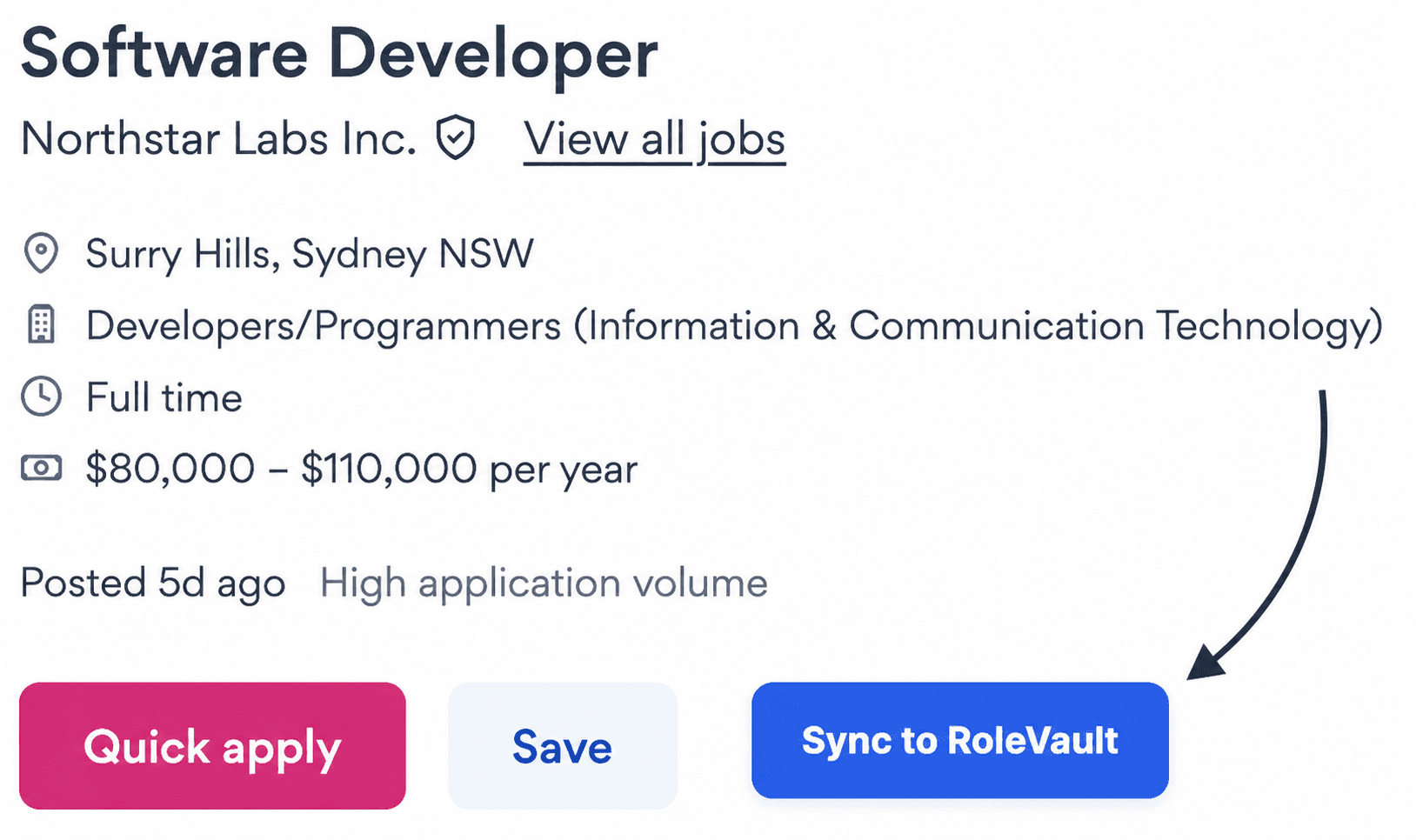
Illustrative job listing with an arrow pointing to the Sync to RoleVault button

Illustrative example

Capture the role

Save the listing and its full context from your browser in one click.

2

Tailor your documents

Create a grounded resume, cover letter or both from the role and your master resume.

3

Move it forward

Keep the documents beside the job and track every next step through your pipeline.

From listing to library

Open the role, sync its context and keep every document together.

RoleVault connects the full job listing, your master resume, tailored documents and application stage in one workspace.

01 · Open the full listing

On SEEK, click into the individual job page first.

The RoleVault button appears on the full job listing—not on the search-results page.

Choose a role from your SEEK search results
Open that role’s individual job listing
Click “Sync to RoleVault” beside the job actions
02 · Sync the role

RoleVault keeps the listing and your application together.

The full job context stays beside your application
Resume and cover letter use the same source evidence
Your current application stage is visible at a glance
03 · Tailor from your experience

Your master resume stays the source

Every tailored resume and cover letter starts from facts you control—not a blank prompt.

04 · Draft, review and save

Drafts last 30 days. Saved documents stay in your library.

Review and edit a generated resume or cover letter as a draft, then save it to your Applications Library when it is ready to keep and download.

Your next application starts here

Give every opportunity a clear next move.

Start with six free document credits and bring your whole job search into one calmer workspace.

Continue on desktop